
티스토리 뷰
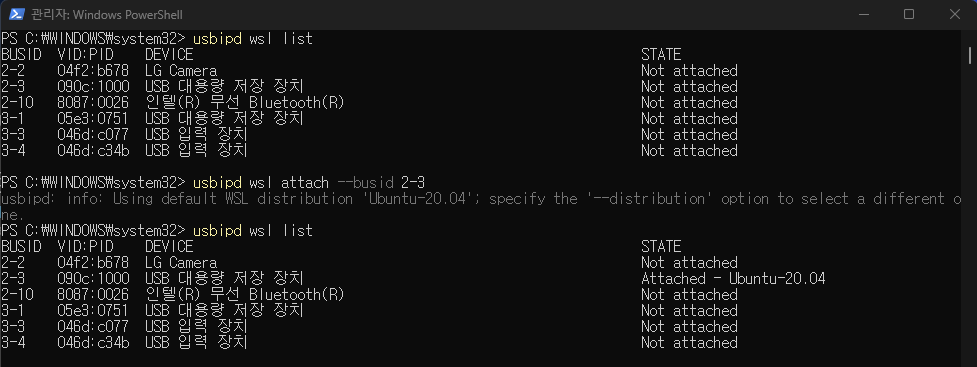
wsl에 usb를 마운트 하여 우분투에서 사용하려고 했지만 정상적으로 마운트되지 않았다.
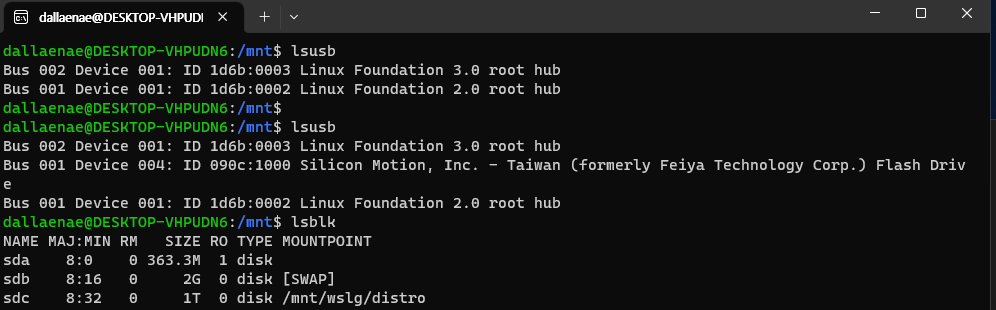
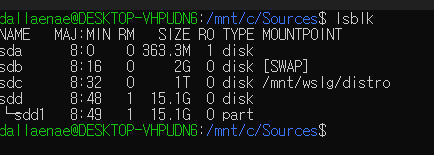
lsusb 수행시 장치가 잡혀있지만 lsblk로 확인하면 보이지 않는다.
USB Mass Storage 디바이스 드라이버가 포함되지 않아서 발생한 문제라고 한다.
커널 모듈을 추가하고 빌드를 다시해야한다.
커널 빌드를 위해 관련 패키지를 먼저 설치한다.
sudo apt update && sudo apt upgrade -y && sudo apt install -y build-essential flex bison libgtk2.0-dev libelf-dev libncurses-dev autoconf libudev-dev libtool zip unzip v4l-utils libssl-dev python3-pip cmake git iputils-ping net-tools dwarves

cd /usr/src
uname -a
VERSION=5.15.90.1
sudo git clone -b linux-msft-wsl-${VERSION} https://github.com/microsoft/WSL2-Linux-Kernel.git ${VERSION}-microsoft-standard && cd ${VERSION}-microsoft-standard
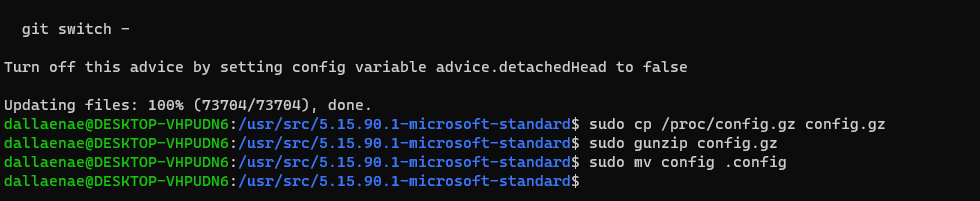
sudo cp /proc/config.gz config.gz
sudo gunzip config.gz
sudo mv config .config
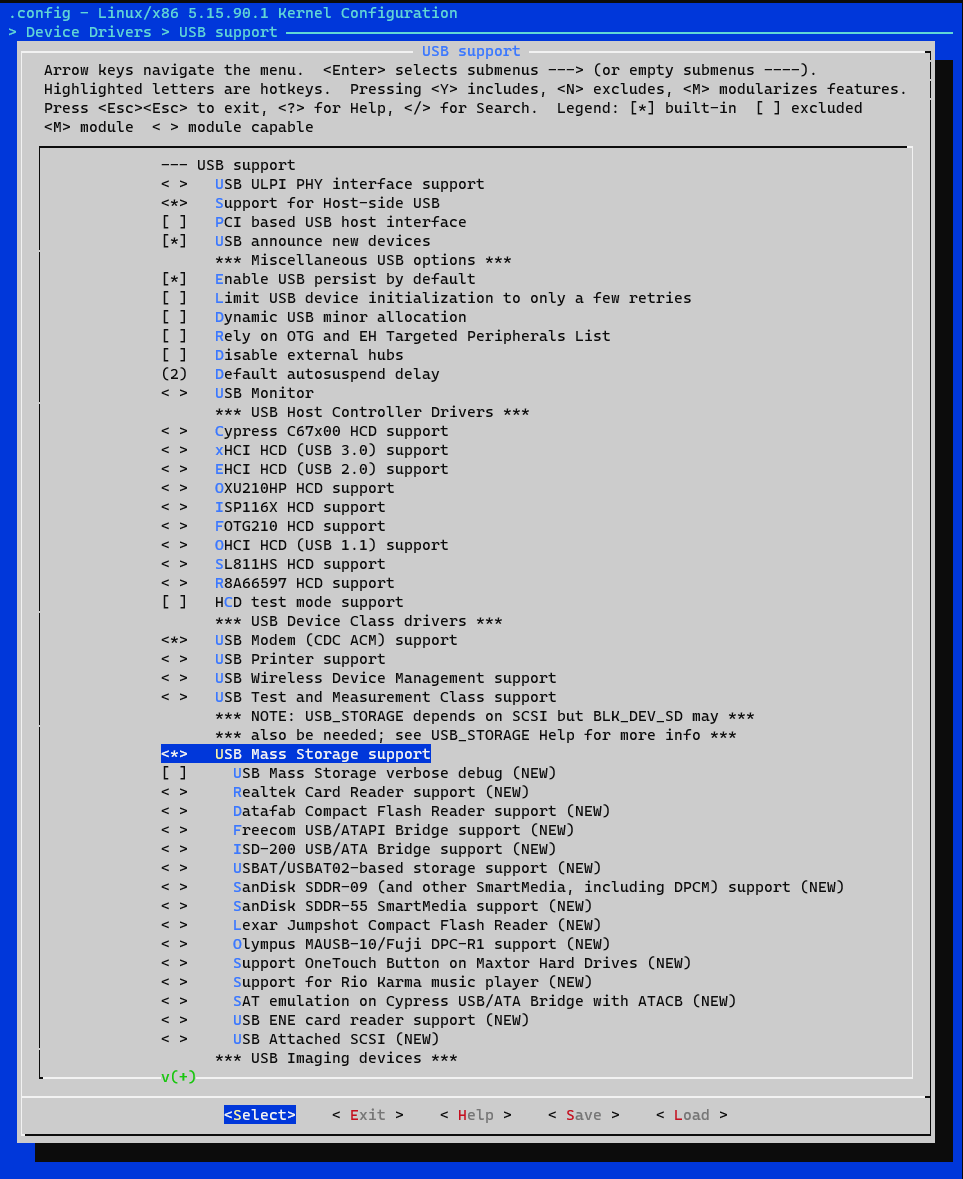
sudo make menuconfig
menuconfig > Device Drivers > USB support > USB Mass Storage support
체크를 했다면 저장하고 빠져나오고 빌드한다.
sudo make -j$(nproc)
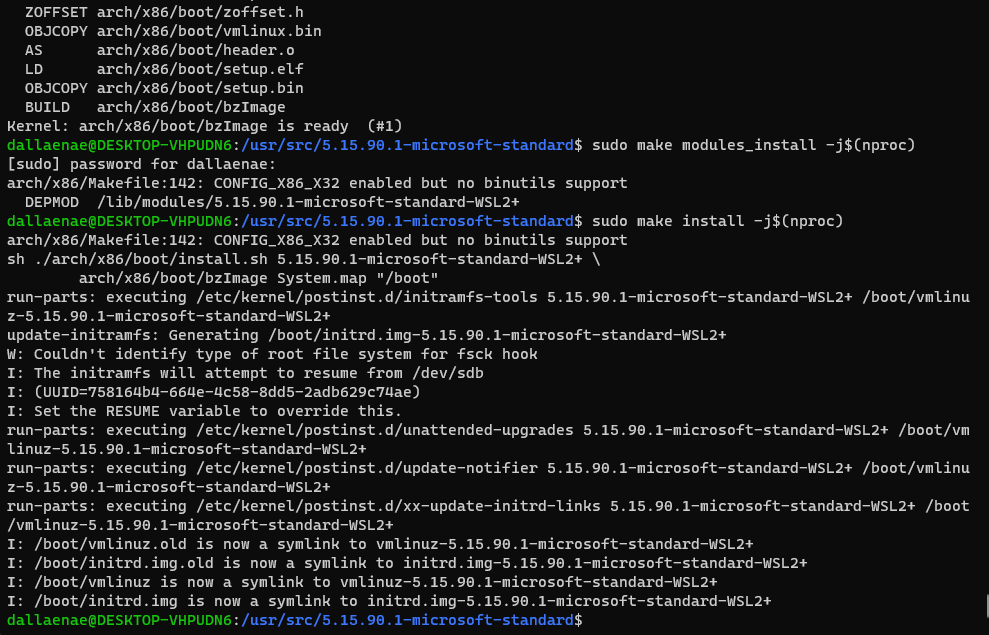
sudo make modules_install -j$(nproc)
sudo make install -j$(nproc)
이미지 복사
sudo cp -rf vmlinux /mnt/c/Sources/
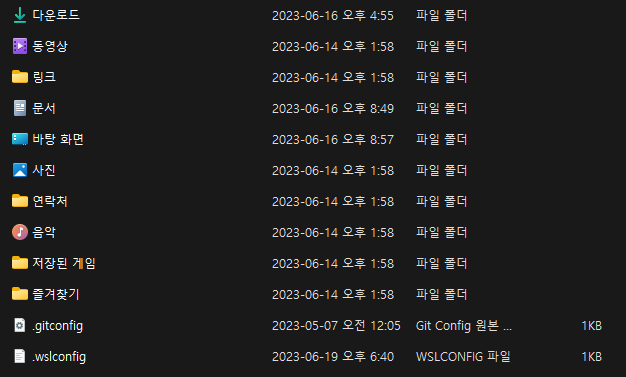
C:\Users\로그인계정\ 폴더에 .wslconfig 파일을 추가하고 빌드한 이미지 경로를 지정하고 저장
[wsl2]
kernel=C:\\Sources\\vmlinux
* wsl을 껐다가 다시 켠다.
wsl --shutdown
wsl
* 다시 마운트 한다.
usbipd wsl attach --busid 2-3
* 확인해보면 정상적으로 잡힌다.

https://github.com/microsoft/WSL/issues/8541
Can't see USB in `lsblk` · Issue #8541 · microsoft/WSL
Version Microsoft Windows [Version 10.0.22000.739] WSL Version WSL 2 WSL 1 Kernel Version 5.10.102.1-microsoft-standard-WSL2 Distro Version Ubuntu 20.04 Other Software No response Repro Steps I fol...
github.com
'개발 > Linux' 카테고리의 다른 글
| PPA&소스컴파일 Ubuntu 16.04에 Python3.7 설치 (0) | 2024.08.27 |
|---|---|
| Nginx를 사용하여 Node.js 포트 포워딩하기 (0) | 2023.07.07 |
| WSL USB 디바이스 연결 (0) | 2023.06.13 |
| Ubuntu CPU on/off (1) | 2022.12.20 |
| 무선 AP에 연결은 되었지만 dhcp ip 할당이 되지 않는 문제 (0) | 2022.12.02 |
- Total
- Today
- Yesterday
- 루미니
- Dart Flutter
- clearTimeout
- USB Mass Storage
- sms
- Nginx #NodeJS #웹서버 #포트포워딩 #웹호스팅 #백엔드개발 #웹개발 #웹프로젝트 #서버관리 #웹애플리케이션
- AlertDialog
- wsl lsblk
- 롯데캐슬
- viewDidLoad()
- whose view is not in the window hierarchy
- raspberrypi serial
- setTimeout
- viewDidAppear()
- Bad mode in Synchronous Abort handler detected
- 어바니엘
- Android Bar Color
- Shell Script
- action bar
- usbipd attach
- Window Status Bar
- sms api
- artik710
- wsl usb mount
- ProgressBar
- SHORT URL
- Naver Cloud Platform
- 다트 플러터
| 일 | 월 | 화 | 수 | 목 | 금 | 토 |
|---|---|---|---|---|---|---|
| 1 | 2 | 3 | 4 | 5 | 6 | 7 |
| 8 | 9 | 10 | 11 | 12 | 13 | 14 |
| 15 | 16 | 17 | 18 | 19 | 20 | 21 |
| 22 | 23 | 24 | 25 | 26 | 27 | 28 |
| 29 | 30 | 31 |